Thursday, March 2, 2017
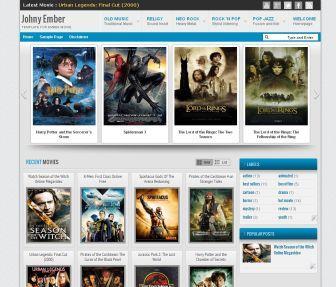
Johny Ember template was another version of Johny Joss Banget with the light style, designed for gallery content blogger especially for movie review. This template has limited features as you can see in demo, there was only 5 categories label below blog post. It's a blue and grey color with 5 column blogger in there, easy loading with elegant looks, automatic slider Carousel for your recent post, 1 right sidebar, 3 columns footer, navigation drop down menu, grid and list style, pagination for blogger ready, clean design template, and more. This template suitable for gallery content blog with daily updates. But you can use it for any gallery images content for your blog. For more detail about how to installation and customize this template please visit this link.
I set the slider in 12 posts, if your blog still under 12 posts the slider not working. Make some new post until you have at least 12 posts and the slider will work automatically
Template Name : Johny Ember
Author : Maskolis
Url Instruction : Creating Website
Designer : Creating Website
instruction
Blog ID for this template: 7709675643058616170 Look for Edit HTML , then replace it with your blog ID to activate the reply function. For those who are not clear about how to install the movie category widget in the two templates above, I will repeat the method here. In the two templates above there are 5 widgets for the category, you just enter or type the name of the label that you want to display on the five widgets, as shown in the picture below
: From the picture above I put the label or category "best seller" in the widget "Movie Categoy 1" , please replace it with your label. Likewise for other movie category widgets, you just type the name of the label in the box and your label will appear automatically. Good luck hopefully useful, and happy fasting.
Johny Ember blogger template
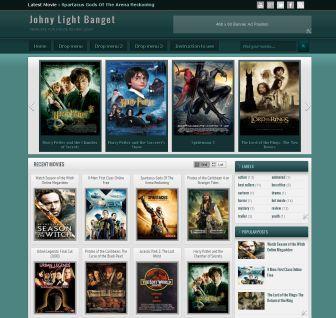
Johny Light Banget template was another version of Johny Joss Banget with the light style, designed for gallery content blogger especially for movie review. This template has many features as you can see in demo template. It's a green and grey color with 5 column blogger in there, easy loading with elegant looks, automatic slider Carousel for your recent post, 1 right sidebar, 3 columns footer, navigation drop down menu, grid and list style, pagination for blogger ready, clean design template, and more. This template suitable for gallery content blog with daily updates. But you can use it for any gallery images content for your blog. For more detail about how to installation and customize this template please visit this link.
set the slider in 12 posts, if your blog still under 12 posts the slider not working. Make some new post until you have at least 12 posts and the slider will work automatically
Template Name : Johny Light Banget
Author : Maskolis
Url Instruction : Creating Website
Designer : Creating Website
Url Designer : creatingwebsite-maskolis.blogspot.com
Johny Light Banget movie
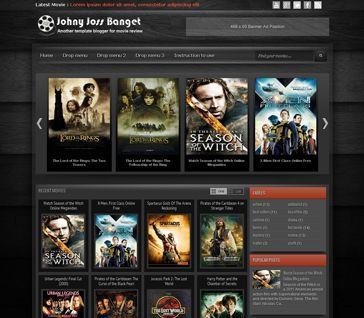
Johny Joss Banget template was designed for gallery content blogger especially for movie review. There's no specific feature in this template. It's a black color with 5 column blogger in there, easy loading with elegant looks, automatic slider Carousel for your recent post, 1 right sidebar, 3 columns footer, navigation drop down menu, grid and list style, pagination for blogger ready, clean design template, and more. This template suitable for gallery content blog with daily updates. But you can use it for any gallery images content for your blog. For more detail about how to installation and customize this template please visit this link.
If you want this template with pagination in recent post, please donwload hereDownload here
I set the slider in 12 posts, if your blog still under 12 posts the slider not working. Make some new post until you have at least 12 posts and the slider will work automatically
Template Name : Johny Joss Banget
Author : Maskolis
Url Instruction : Creating Website
Designer : Creating Website
Url Designer : creatingwebsite-maskolis.blogspot.com
Johny Joss Banget movie template
Monday, February 27, 2017
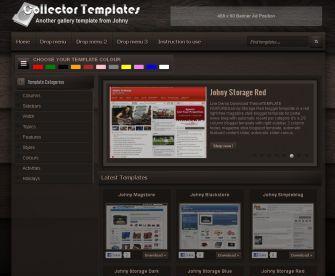
Collector Template is another free blogger template from Creating Website for gallery content with elegant dark brown style.
Features :
- Automatic image slider for your new post
- 3 column blogger template with right sidebar
- 4 column footer
- Gallery style blogger template
- Ads ready 468 x 60 in header, 300 x 250 in every post
- Pagination for blogger ready
- Dropdown menu, clean design template, and more.
That's all and hopefully useful
Collector Template

http://www.youtube.com/watch?v=K4Di2rvigVkendofvidYou can grab URL from Youtube just like you see in this picture below, and you must closed with this code endofvid (with no space)
[starttext]Your description here..........
[endtext]

Or this picture

And the final result to make a post should be like in this picture :

For more detail how to use and installation this template, please visit this link.
And if you want to use this template in image gallery, you can
Jazzy Tube
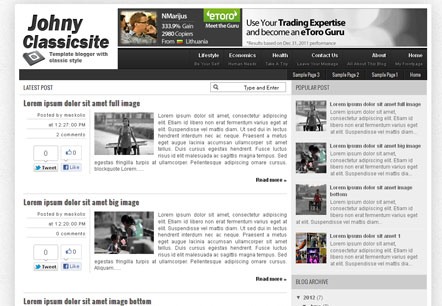
Classicsite Johny
.
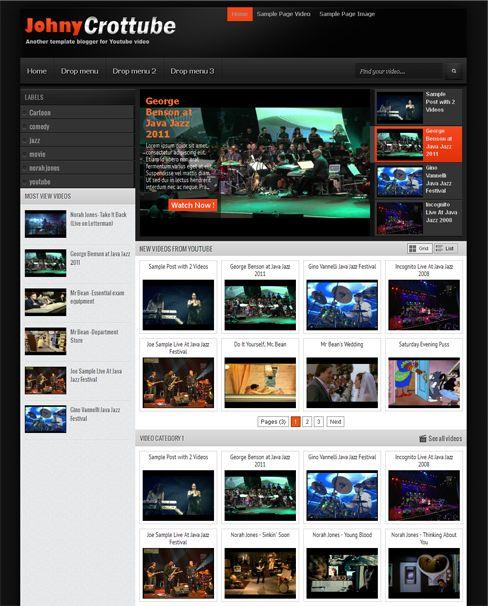
Crottube Johny
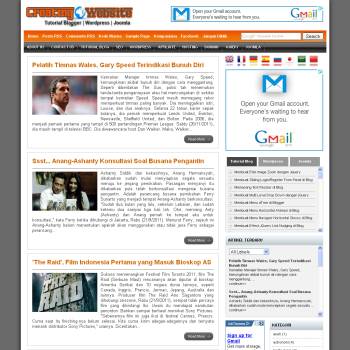
/ URL Instructionvisit this link
. Ask him how to navigated this template.
Creating Website Template
This template has two basic colors, white and gray with a black background, easy loading and easy to navigated.
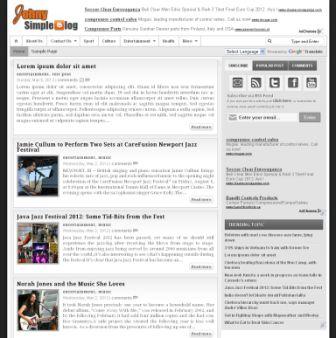
Johny Simpleblog was a simple template with classic style. There's no specific feature in this template. It's a white and grey color with 2 column blogger in there, easy loading and SEO friendly I think, 1 right sidebar, 3 columns footer, navigation drop down menu, ads ready, pagination for blogger ready, clean design template, and more. This template suitable for all type of content blog especially for daily blogs, but you can use it for your site anything you like to. I hope you enjoy it and happy blogging.
URL Instruction visit this link,
/if you have any question about this template you can leave your message in that link.
Simple blog Johny
Johny Simplemag template was designed with automatic slider and all widgets work more dynamic. Installed simple Yahoo Slider here, there was only 4 posts can be displayed on the slider, but the display remains the same.
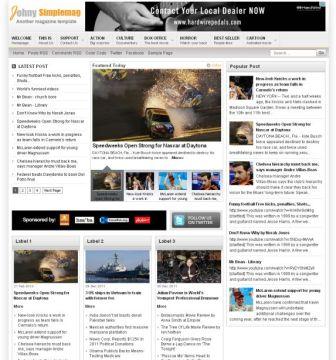
More features :
- It's a 3 column blogger template with one right sidebar
- 3 column footer and magazine style blogspot template
- Automatic simply Yahoo slider
- Ads ready, pagination for blogger ready
- Dropdown menu,
- Related post ready in the bottom of every post, clean design template
- Static Page ready
- and more.
Simple mag Johny
Sunday, February 26, 2017
This template has many features just like Gamer Darkpaper template with a light version. You can use this template for portal news with daily updates.
Template Featured It's a 2/3 column blogger template with right sidebar, 3 column footer, magazine style blogspot template, automatic featured content slider, automatic slider carousel, ads ready, pagination for blogger ready, multi level dropdown menu, clean design template, and more. This template designed for portal news blog with daily updates.
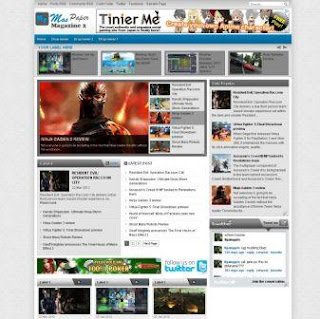
Template Name : Mas Paper Magazine 2 Author : Maskolis Url Instruction: creating website
Mas Paper 2
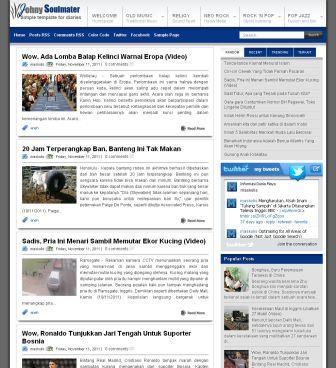
Template Name : Johny Soulmater Author : Maskolis Url Author : Creating Website Designer : Creating Website
Johny Soulmater
TEMPLATE FEATURES Gallery Johny is another free blogger template from Creating Website with elegant white and blue style for gallery content. This template design with an automatic image slider category, 3/4 column blogger template with right sidebar, 4 column footer, magazine white gallery for template and theme, ads ready, pagination for blogger ready, dropdown menu, clean design template, and more. But you can used this template for any content just as like you wanted blog with daily updates
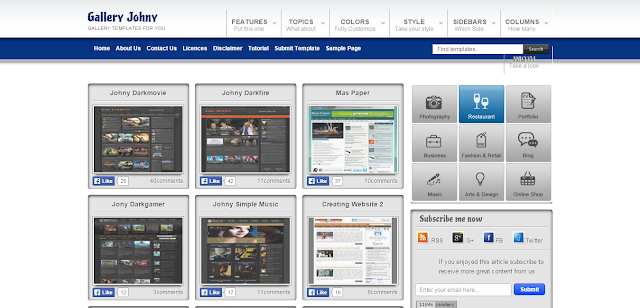
Template Name : Gallery Johny Author : Maskolis Instruction :
To create a post make sure you are in the HTML (not compose) position. Below is an example of how to create a post on this Gallery Johny template :
<div align = "center">
</div>
<div class = "badge sblogger">
</div>
<img class = "latest_img" height = "250" src = " http: //4.bp.blogspot. com / -vAQCTVY56RQ / T1C97oUO9DI / AAAAAAAAFrY / 2qFu-uMpN4k / s1600 / Johny + Darkmovie.jpg "width =" 310 "/>
<div class =" fullpost ">
<ul class =" postbuttons ">
<li> <a class = "livedemo" href = " http://johny-darkmovie.blogspot.com/ " rel = "nofollow" target = "_ blank"> Live Demo </a> </li>
<li> <a class = "download "href =" http://www.box.com/s/qjhv758fzmne8lt3xpa8 "rel =" nofollow "target = "_ blank"> Download Theme </a> </li>
</ul>
</div>
<b> TEMPLATE FEATURES </b>
Please fill in your template description or whatever it is .........
Note the script code I colored above:
color : URL for download
<style type = "text / css">. mask {width: 288px; float: left; margin: 0 0 2px; padding: 0 5px;}Description: The text I print is bold please replace it with your ID and username. Red ( Masculine ) text is the blog feedburner ID demo, replacing it with your feedburner ID. To make a popular post like a demo, go to layout >> add gadget and select popular posts. This is where you need to check the thumbnail only, leave the snippet blank.
.maskolis .count {margin: 0px; padding: 10px 0px 0px 0;}
.maskolis .subicons {background: url (https://blogger.googleusercontent.com/img/b/R29vZ2xl/AVvXsEhl-quuv_aP3klhFIJsZO0KToesn6_JilDxDPStUTAeJch83hH89LL7Ubjo1Gnta6Jki2FPiXvGoNblmNDwMSYXOd1CGxVMMyJlPbVjEghQ-Hd7BVsu_UNbfiyIfyX_Rg2Un4WsyimeSRfL/s1600/batas.png) repeat-x scroll bottom; margin: 0px 0 0px 0; float: left; width: 288px; font-family: Helvetica, Arial; font-size: 12px;}. mask .subicons a {text-decoration: none; color: # 333333;}. mask .subicons a: hover {text -decoration: underline; color: # 333333;}. mask .subicons .rssicon {background: url (https://blogger.googleusercontent.com/img/b/R29vZ2xl/AVvXsEjhRph4Lpl5D6YOcuICFx0bKDtGSDUmNyO_GDo8_QDpwY3fhTQCGISUspXXgTRI0pAEiFvLItaHYlMerqsMpgjMmeLNweS36UcIDim4JLFlKIfro3mqZ4MZAjizANtJ_erH8LpCgM2BWEQH/s1600/%25 255Bwww.gj37765.blogspot.com% 255Drsssprite.png) no-repeat; background-position: 0px 5px; min-width: 2px; height: 48px; line-height: 57px; vertical-align: middle; float: left; padding : 0px 10px 0px 28px; margin: 0 0 0 5px;}. Mask .subicons .googleicon {background: url (https://blogger.googleusercontent.com/img/b/R29vZ2xl/AVvXsEjhRph4Lpl5D6YOcuICFx0bKDtGSDUmNyO_GDo8_QDpwY3fhTQCGISUspXXgTRI0pAEiFvLItaHYlMerqsMpgjMmeLNweS36UcIDim4JLFlKIfro3mqZ4MZAjizANtJ_erH8LpCgM2BWEQH/ s1600 /% 255Bwww.gj37765.blogspot.com% 255Drsssprite.png) no-repeat; background-position: 0px -37px; min-width: 2px; height: 48px; line-height: 57px; vertical-align: middle; float: left; padding: 0px 10px 0px 28px ; margin: 0 0 0 5px;}. mask .subicons .fbicon {background: url (https://blogger.googleusercontent.com/img/b/R29vZ2xl/AVvXsEjhRph4Lpl5D6YOcuICFx0bKDtGSDUmNyO_GDo8_QDpwY3fhTQCGISUspXXgTRI0pAEiFvLItaHYlMerqsMpgjMmeLNweS36UcIDim4JLFlKIfro3mqZ4MZAjizANtJ_erH8LpCgM2BWEQH/s1600/%255Bwww. gj37765.blogspot.com% 255Drsssprite.png) no-repeat; background-position: 0px -79px; min-width: 20px; height: 48px; line-height: 57px; vertical-align: middle; float: left; padding: 0px 10px 0px 28px; margin: 0 0 0 5px;}. Mask .subicons .twittericon {background: url (https://blogger.googleusercontent.com/img/b/R29vZ2xl/AVvXsEjhRph4Lpl5D6YOcuICFx0bKDtGSDUmNyO_GDo8_QDpwY3fhTQCGISUspXXgTRI0pAEiFvLItaHYlMerqsMpgjMmeLNweS36UcIDim4JLFlKIfro3mqZ4MZAjizANtJ_erH8LpCgM2BWEQH/ /%255Bwww.gj37765.blogspot.com%255Drsssprite.png) no-repeat; background-position: 0px -121px; min-width: 20px; height: 48px; line-height: 57px; vertical-align: middle; float: left; padding: 0px 7px 0px 28px; margin: 0 0 0 5px;}.mask .emailsub {border-bottom: 0px solid # e6e6e6; padding: 15px 0 0px 0; float: left; width: 100%; font-family: Helvetica, Arial;}. mask .emailsub .emailicon {background: url (http) : //www.fordfarmhouse.com/images/email.png) no-repeat 0 2px; float: left; padding: 0px 20px 0px 50px; margin: 0 5px; width: 288px; line-height: 20px; vertical-align : middle; font-size: 14px; color: # 333;}. mask .emailsub .emailupdatesform {margin: 15px 5px 5px 5px; width: 288px; float: left;}. mask .emailsub .emailupdatesform input.emailupdatesinput {background: #fff! important; float: left; border: 1px solid #afafaf; padding: 0px 8px 0px 8px; color: # a19999; font-size: 12px; height: 25px; width: 185px; / * border-radius * / - webkit-border-radius: 5px; -moz-border-radius: 5px; border-radius: 5px;}. mask .emailsub .emailupdatesform input.joinemailupdates {/ * linear-gradient * / background: -webkit-gradient (linear, left top,left bottom, color-stop (# b4c5fa, 0), color-stop (# 0f46fa, 1)); background: -webkit-linear-gradient (top, # b4c5fa 0%, # 0f46fa 100%); background: -moz -linear-gradient (top, # b4c5fa 0%, # 0f46fa 100%); background: -o-linear-gradient (top, # b4c5fa 0%, # 0f46fa 100%); background: linear-gradient (top, # b4c5fa 0%, # 0f46fa 100%); background: -webkit-gradient (linear, left top, left bottom, from (# 567dfc), to (# 0f46fa)); border: 1px solid # 1143a8; text-transform: none; font: bold 12px arial; color: #fff; height: 25px; padding: 0 12px 0 12px; margin: 0 0 0 5px; / * border-radius * / - webkit-border-radius: 5px; -moz-border- radius: 5px; border-radius: 5px; cursor: pointer;} </style> <div class = "mask"> <div class = "subicons"> <div class = "rssicon"> & nbsp; <a rel = " nofollow "href =" http://feeds.feedburner.com/color-stop (# 0f46fa, 1)); background: -webkit-linear-gradient (top, # b4c5fa 0%, # 0f46fa 100%); background: -moz-linear-gradient (top, # b4c5fa 0%, # 0f46fa 100%); background: -o-linear-gradient (top, # b4c5fa 0%, # 0f46fa 100%); background: linear-gradient (top, # b4c5fa 0%, # 0f46fa 100%); background: -webkit -gradient (linear, left top, left bottom, from (# 567dfc), to (# 0f46fa)); border: 1px solid # 1143a8; text-transform: none; font: bold 12px arial; color: #fff; height: 25px; padding: 0 12px 0 12px; margin: 0 0 0 5px; / * border-radius * / - webkit-border-radius: 5px; -moz-border-radius: 5px; border-radius: 5px; cursor: pointer ;} </style> <div class = "masculine"> <div class = "subicons"> <div class = "rssicon"> & nbsp; <a rel = "nofollow" href = "http: //feeds.feedburner. com /color-stop (# 0f46fa, 1)); background: -webkit-linear-gradient (top, # b4c5fa 0%, # 0f46fa 100%); background: -moz-linear-gradient (top, # b4c5fa 0%, # 0f46fa 100%); background: -o-linear-gradient (top, # b4c5fa 0%, # 0f46fa 100%); background: linear-gradient (top, # b4c5fa 0%, # 0f46fa 100%); background: -webkit -gradient (linear, left top, left bottom, from (# 567dfc), to (# 0f46fa)); border: 1px solid # 1143a8; text-transform: none; font: bold 12px arial; color: #fff; height: 25px; padding: 0 12px 0 12px; margin: 0 0 0 5px; / * border-radius * / - webkit-border-radius: 5px; -moz-border-radius: 5px; border-radius: 5px; cursor: pointer ;} </style> <div class = "masculine"> <div class = "subicons"> <div class = "rssicon"> & nbsp; <a rel = "nofollow" href = "http: //feeds.feedburner. com /background: -moz-linear-gradient (top, # b4c5fa 0%, # 0f46fa 100%); background: -o-linear-gradient (top, # b4c5fa 0%, # 0f46fa 100%); background: linear-gradient ( top, # b4c5fa 0%, # 0f46fa 100%); background: -webkit-gradient (linear, left top, left bottom, from (# 567dfc), to (# 0f46fa)); border: 1px solid # 1143a8; text- transform: none; font: bold 12px arial; color: #fff; height: 25px; padding: 0 12px 0 12px; margin: 0 0 0 5px; / * border-radius * / - webkit-border-radius: 5px; - moz-border-radius: 5px; border-radius: 5px; cursor: pointer;} </style> <div class = "subicons"> <div class = "subicons"> <div class = "rssicon"> & nbsp; < a rel = "nofollow" href = "http://feeds.feedburner.com/background: -moz-linear-gradient (top, # b4c5fa 0%, # 0f46fa 100%); background: -o-linear-gradient (top, # b4c5fa 0%, # 0f46fa 100%); background: linear-gradient ( top, # b4c5fa 0%, # 0f46fa 100%); background: -webkit-gradient (linear, left top, left bottom, from (# 567dfc), to (# 0f46fa)); border: 1px solid # 1143a8; text- transform: none; font: bold 12px arial; color: #fff; height: 25px; padding: 0 12px 0 12px; margin: 0 0 0 5px; / * border-radius * / - webkit-border-radius: 5px; - moz-border-radius: 5px; border-radius: 5px; cursor: pointer;} </style> <div class = "subicons"> <div class = "subicons"> <div class = "rssicon"> & nbsp; < a rel = "nofollow" href = "http://feeds.feedburner.com/# 0f46fa 100%); background: -webkit-gradient (linear, left top, left bottom, from (# 567dfc), to (# 0f46fa)); border: 1px solid # 1143a8; text-transform: none; font: bold 12px arial; color: #fff; height: 25px; padding: 0 12px 0 12px; margin: 0 0 0 5px; / * border-radius * / - webkit-border-radius: 5px; -moz-border-radius: 5px ; border-radius: 5px; cursor: pointer;} </style> <div class = "subicons"> <div class = "subicons"> <div class = "rssicon"> & nbsp; <a rel = "nofollow" href = "http://feeds.feedburner.com/# 0f46fa 100%); background: -webkit-gradient (linear, left top, left bottom, from (# 567dfc), to (# 0f46fa)); border: 1px solid # 1143a8; text-transform: none; font: bold 12px arial; color: #fff; height: 25px; padding: 0 12px 0 12px; margin: 0 0 0 5px; / * border-radius * / - webkit-border-radius: 5px; -moz-border-radius: 5px ; border-radius: 5px; cursor: pointer;} </style> <div class = "subicons"> <div class = "subicons"> <div class = "rssicon"> & nbsp; <a rel = "nofollow" href = "http://feeds.feedburner.com// style> <div class = "masculine"> <div class = "subicons"> <div class = "rssicon"> & nbsp; <a rel = "nofollow" href = "http://feeds.feedburner.com// style> <div class = "masculine"> <div class = "subicons"> <div class = "rssicon"> & nbsp; <a rel = "nofollow" href = "http://feeds.feedburner.com/Maskolis "target =" _ blank "> RSS </a> </div> <div class =" googleicon "> & nbsp; <a href =" https://plus.google.com/u/0/ GOOGLE + ID " rel = "author" target = "_ blank"> G + </a> </div> <div class = "fbicon"> & nbsp; <a href = "https://www.facebook.com/ Facebook URL " target = "_blank" rel = "nofollow"> FB </a> </div> <div class = "twittericon"> & nbsp; <a href = "https://www.twitter.com/ TWITTER USERNAME"target =" _ blank "rel =" nofollow "> Twitter </a> </div> </div> <div class =" emailsub "> <div class =" emailicon "> <p style =" width: 250px; color: # 3A3A3A; font-size: 13px; font-weight: normal; font-family: Helvetica, Arial; padding-right: 5px; margin: 0; "> If you enjoyed this article subscribe to receive more great content from us </p> </div> <div class =" emailupdatesform "> <form action =" http://feedburner.google.com/ fb / a / mailverify "method =" post "target =" popupwindow "onsubmit =" window.open ('http://feedburner.google.com/fb/a/mailverify?uri= Maskolis',' popupwindow ',' scrollbars = yes, width = 550, height = 520 '); return true "> <input gtbfieldid =" 10 "class =" emailupdatesinput "name =" email "value =" Enter your email here. .. "onblur =" if (this.value == & # 39; & # 39;) {this.value = & # 39; Enter your email here ... & # 39 ;;} "onfocus =" if ( this.value == & # 39; Enter your email here ... & # 39;) {this.value = & # 39; & # 39 ;;} "type =" text "/> <input value =" Maskolis "name =" type "type =" hidden "/> <input value =" Submit "class =" joinemailupdates "type =" submit "/> </form> <div class =" count "> <a rel =" nofollow "href =" http: //feeds.feedburner.com / Maskolis "> <img style =" border: 0 "alt =" "src =" http://feeds.feedburner.com/%7Efc/ Maskolis ? bg = aeaeae & amp; fg = 000 & amp; anim = 1 "height = "26" width = "88" /> </a> </div></div> </div> </div>
Johny Gallery
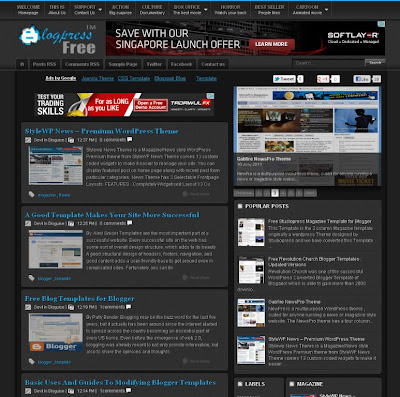
TEMPLATE FEATURES
Blogpress Free template is semi-magazine style blogger template for any content. It's a 2/3 column blogger template with right sidebar, static page ready, 3 column footer, magazine style blogspot template, featured content slider, ads ready, pagination for blogger ready, dropdown menu, clean design template, and more. This template designed for any content with daily updates
Template Name : Blogpress Free Template
Author : Maskolis
Url Instruction : Creating Website
Designer : Creating Website
Blogpress Free Template
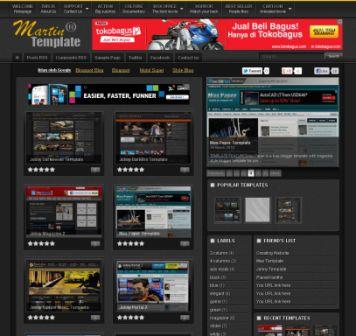
TEMPLATE FEATURES
This template names Martin Template, that design in gallery style blogger template you can use this template for any gallery content. It's a 2/3 column blogger template with right sidebar, static page ready, 3 column footer, magazine style blogspot template, automatic content slider, ads ready, pagination for blogger ready, dropdown menu, clean design template, and more. This template designed for content gallery with daily updates
Template Name : Martin Template
Author : Maskolis
Url Instruction : Creating Website
Designer : Creating Website
Martin Template
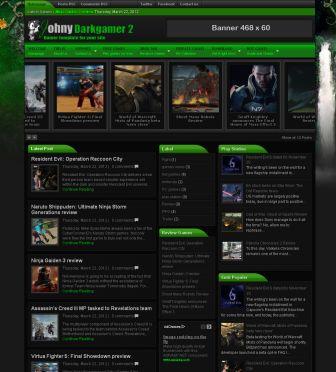
automatic slider carousel, ads ready, pagination for blogger ready, dropdown menu, clean design template, and more. This template designed especially for content games but you can use it for any content with daily updates
Template Name: Johny Darkgamer 2
Author : Maskolis
Url Instruction
Creating Website
Designer: Creating Website
Darkgamer 2
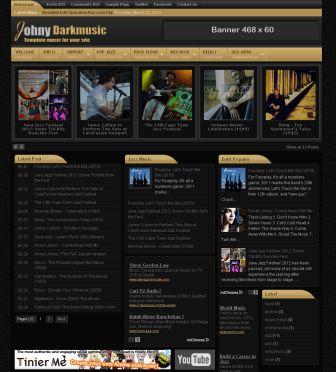
TEMPLATE FEATURES
It's a 3/4 column blogger template with 2 right sidebar, static page ready, 3 column footer, magazine style blogspot template with black and brown color, automatic slider carousel, ads ready, pagination for blogger ready, dropdown menu, clean design template, and more. This template designed especially for content music review or news but you can use it for any content with daily updates
Template Name : Johny Darkmusic
Author : Maskolis
Url Instruction : Creating Website
Designer : Creating Website
Darkmusic Johny

TEMPLATE FEATURES
Free Johny Portal 2 blogger template is another version of Johny Portal blogger template for portal news blog with auto recent per category. It's a 2/3 column blogger template with right sidebar, 3 column footer, magazine style blogspot template, featured content slider, ads ready, pagination for blogger ready, dropdown menu, and more. This template designed for portal news blog with daily updates
Template Name : Johny Portal 2
Author : Maskolis
Url Instruction : Creating Website
Designer : Creating Website
Johny Portal 2
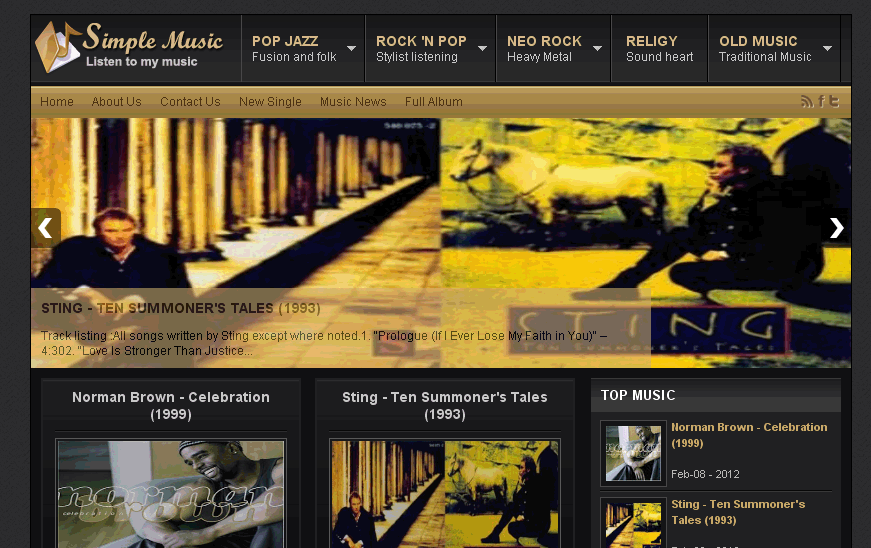
TEMPLATE FEATURES Free Johny Simple Music blogger template is magazine style blogger template for music blog with black color background. It's a blogger template with right sidebar, 3 column footer, magazine style blogspot template, featured content slider, pagination for blogger ready, dropdown menu, breadcrumb navigation ready, and more. This template designed for music reviews and info blogs
Template Name : Johny Simple Music
Author : Maskolis
Url Author : Creating Website
Designer : Creating Website
Simple Music johny Template
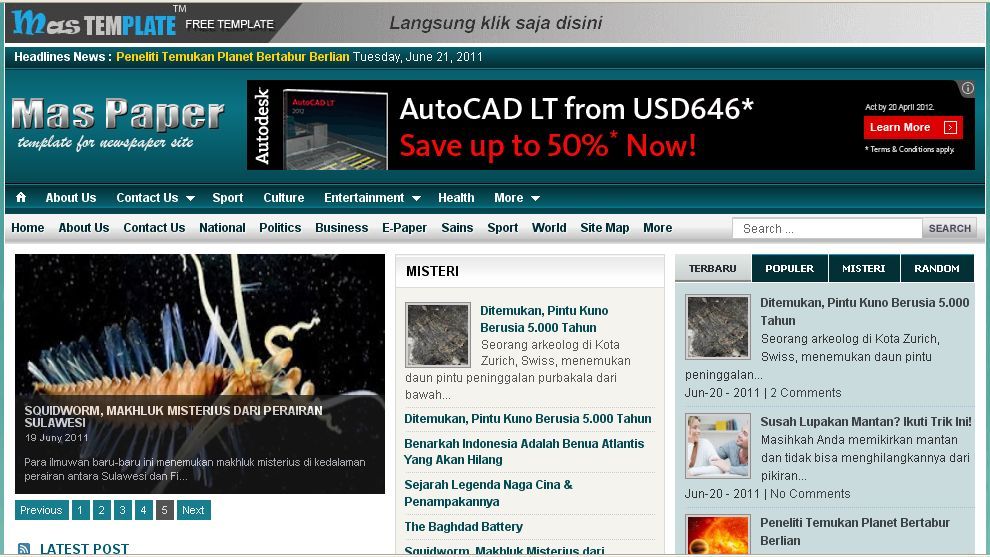
TEMPLATE FEATURES Mas Paper is a free blogger template with magazine style blogger template for portal news blog with auto recent per category. This template comes with an automatic image slider feature, 2/3 column blogger template with right sidebar, 3 column footer, magazine style blogspot template, featured content slider, tabber sidebar ready, ads ready, pagination for blogger ready, dropdown menu, newsticker ready, clean design template, and more. This template designed for portal news blog with daily updates
Template Name : Mas Paper
Author : Maskolis
Url Instruction : Creating Website
Designer : Creating Website


